

Writer – Your AI-Powered Proposal Assistant
Writer is your intelligent companion for creating proposals and concepts. In just four steps, the tool guides you from requirements analysis to the finished document.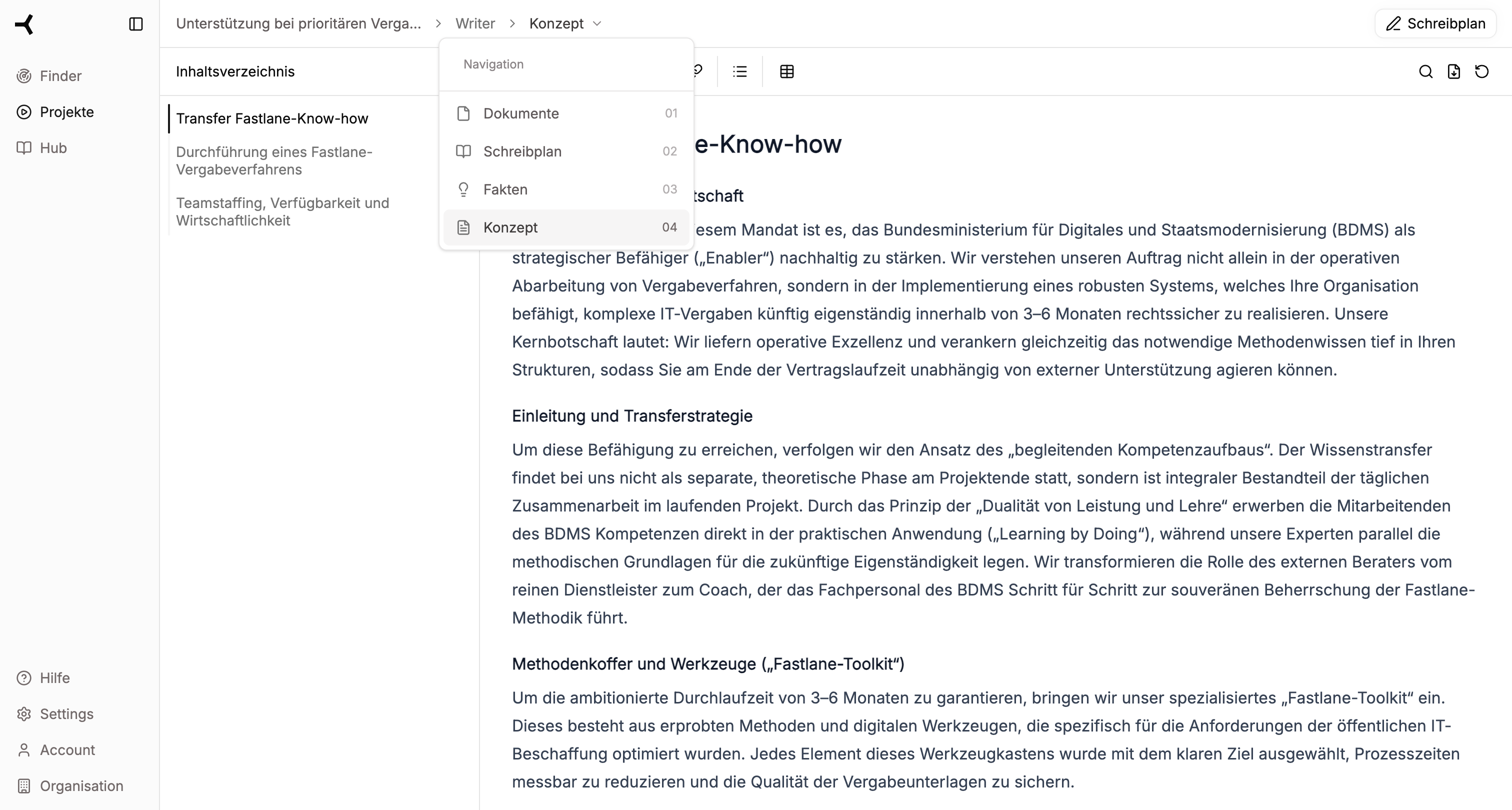
The 4-Step Process
1
Documents
Upload your tender documents. The AI automatically extracts all requirements and structures them clearly for you.
2
Writing Plan
Define the structure of your proposal. Customize chapters, page specifications, and writing instructions to your needs.
3
Facts
Research relevant information from your Hub, public sources, and expert knowledge. Review and manage all collected facts.
4
Concept
Generate your proposal text. Edit the result directly in the editor and export it as a Word document.
Quick Start
Start Project
Create a new project or import from Finder
Analyze Documents
Step 1: Extract and review requirements
Create Writing Plan
Step 2: Define structure and instructions
Research Facts
Step 3: Collect and verify information
Generate Concept
Step 4: Create and export text
Tips & Best Practices
Prepare your Hub and work efficiently
Prerequisites
Before you start with Writer, you should prepare the following:Tender Documents
Tender Documents
Have your relevant tender documents ready (PDF, Word, or other supported formats). Writer automatically analyzes these and extracts all requirements.
Hub Setup (recommended)
Hub Setup (recommended)
For best results in fact research, your Hub should contain the following information:
- Certifications – ISO certificates, quality certifications
- Financial Documents – Balance sheets, annual reports
- Employee Profiles – Qualifications, CVs
- Project References – Completed projects, case studies
- Writer Rules – Company-specific writing guidelines